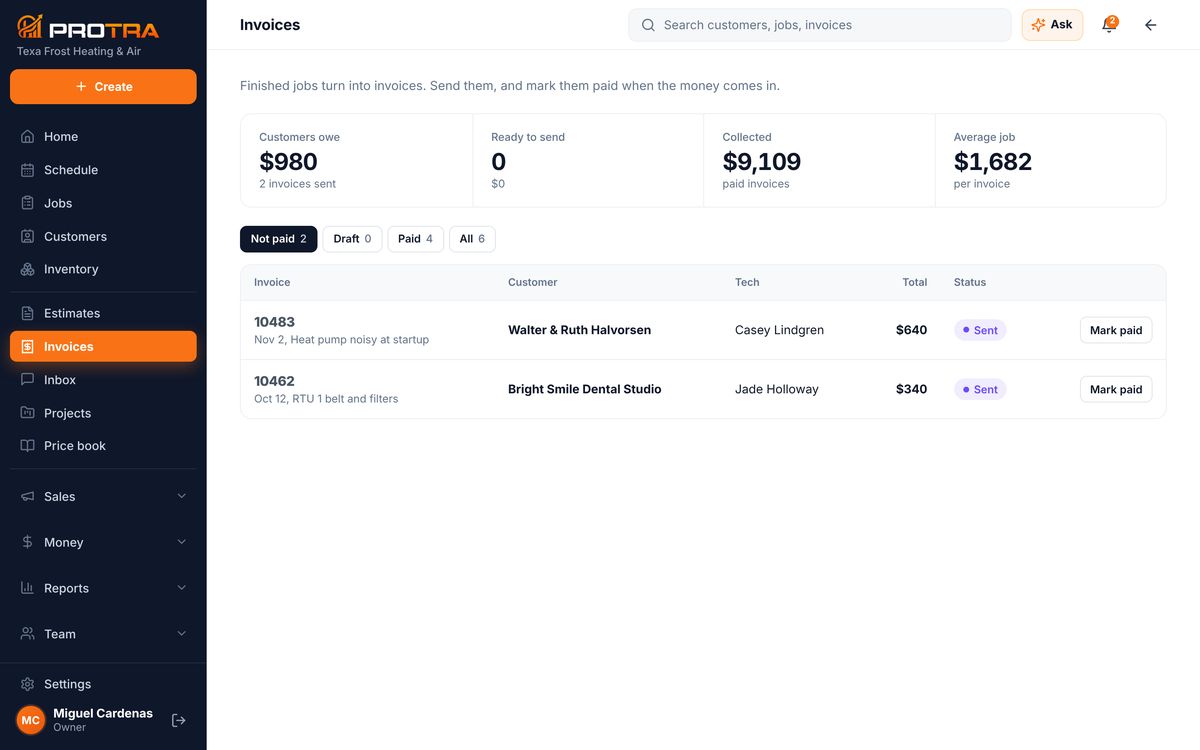
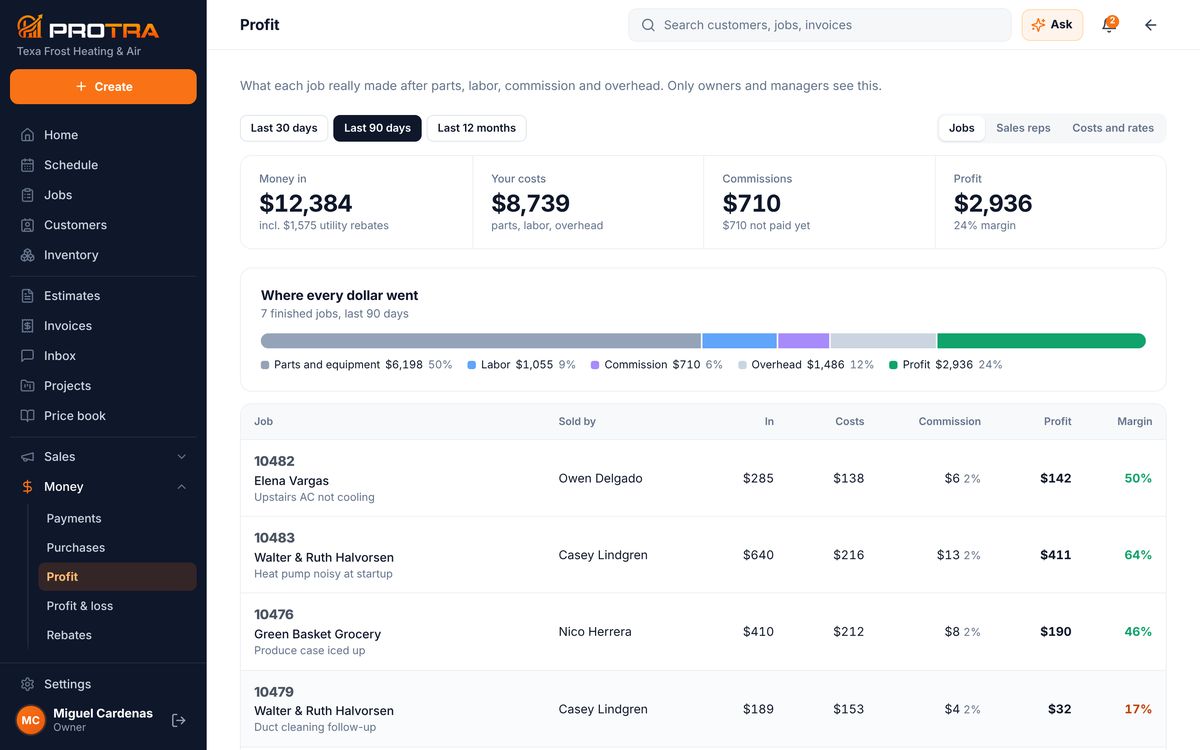
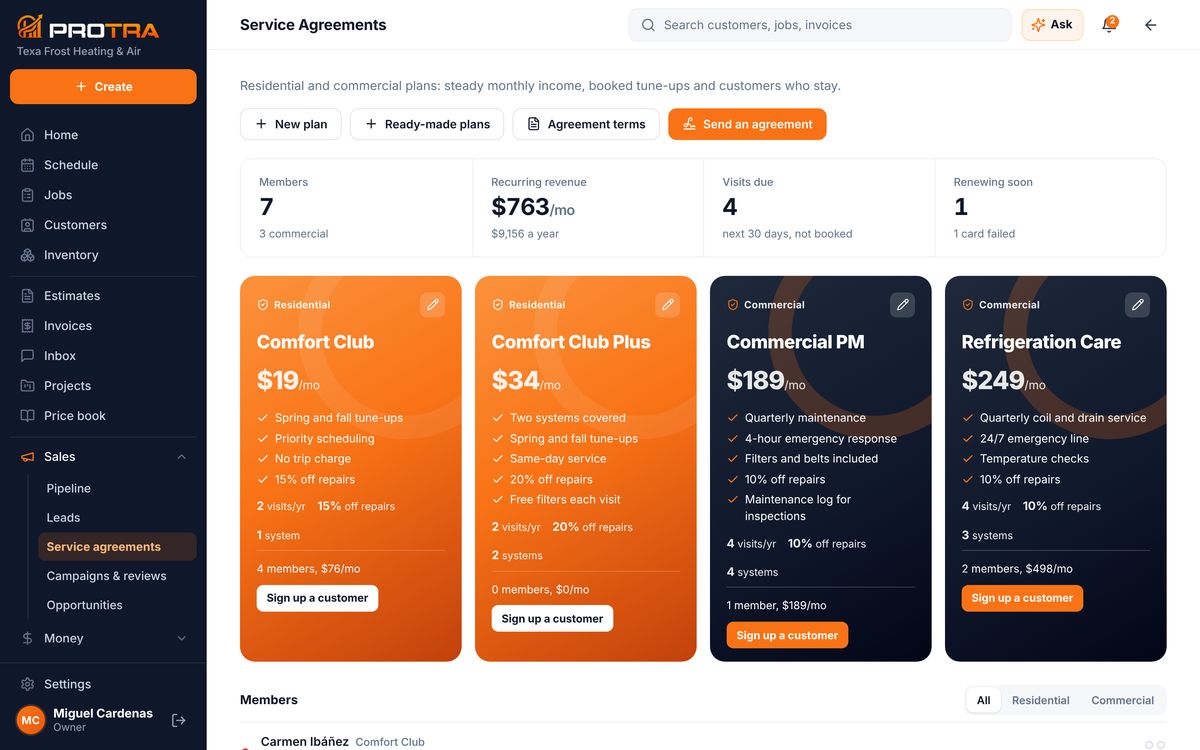
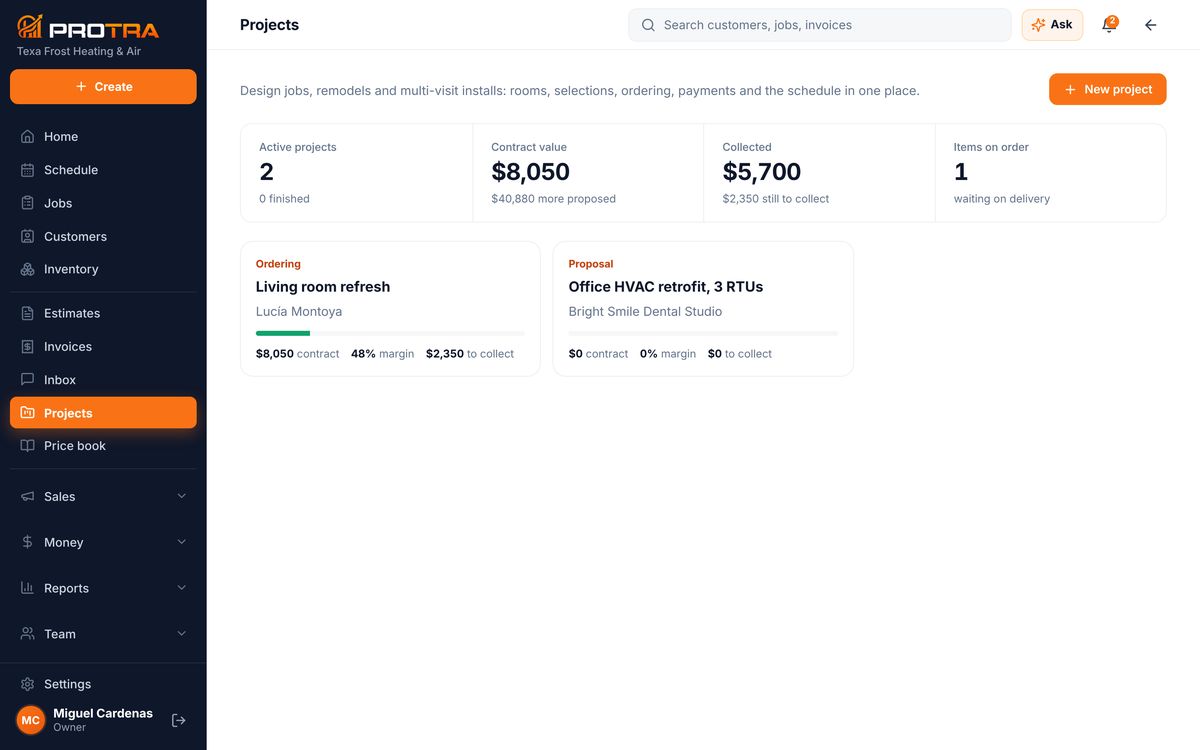
Real screens with a sample company: the office on the web, the tech on the phone, the customer’s page, inventory from the order list to the truck, and the money.
Owners, dispatchers and office staff open app.protra-us.com on a computer.
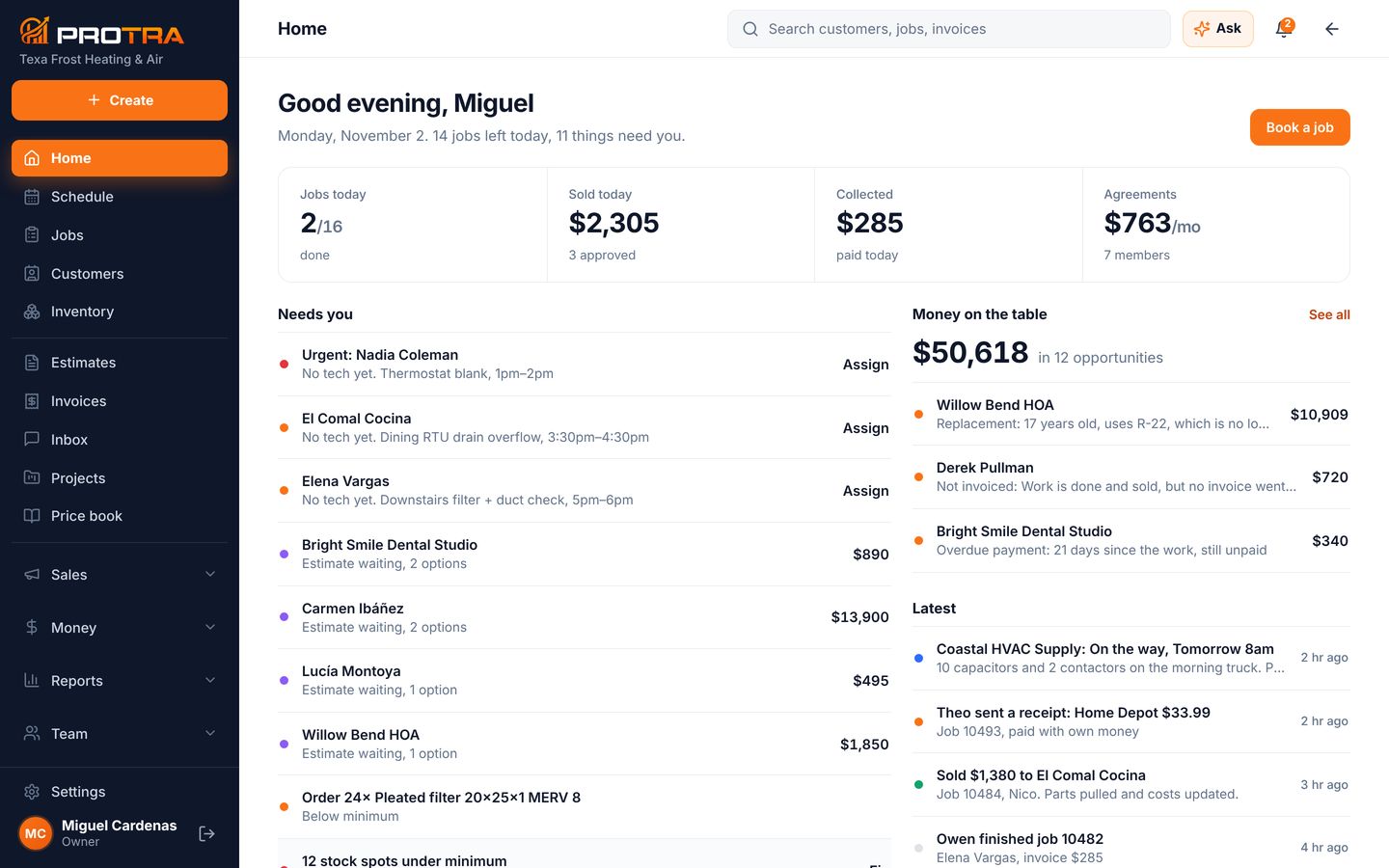
Jobs left today, what sold, what got paid, and a Needs you list: jobs with no tech, estimates waiting, invoices overdue. Click Assign and you’re done.
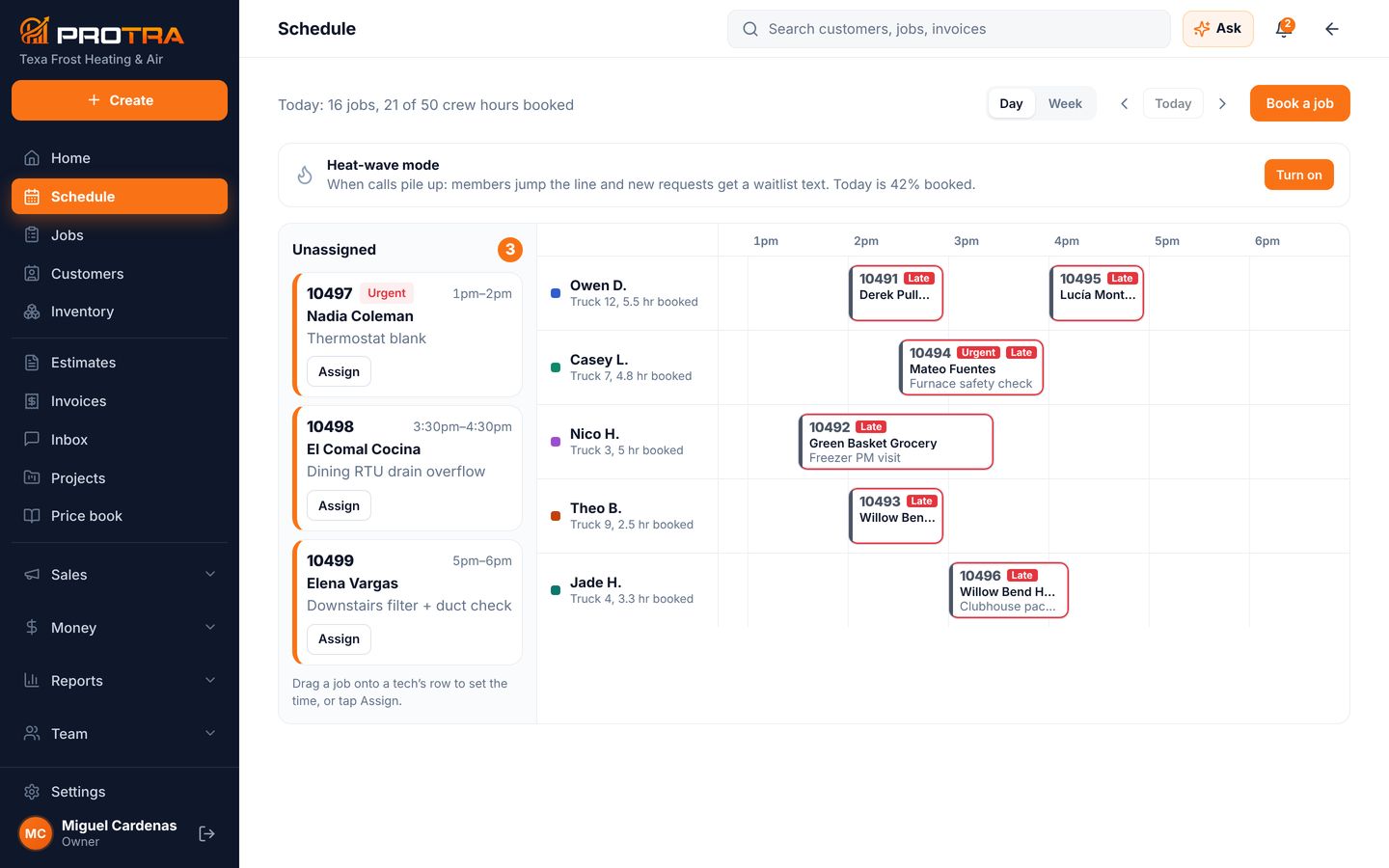
Every tech side by side. Drag a job onto a row to set the time, and the tech gets a text. Late and urgent jobs are marked in red. Heat-wave mode moves members to the front when calls pile up.
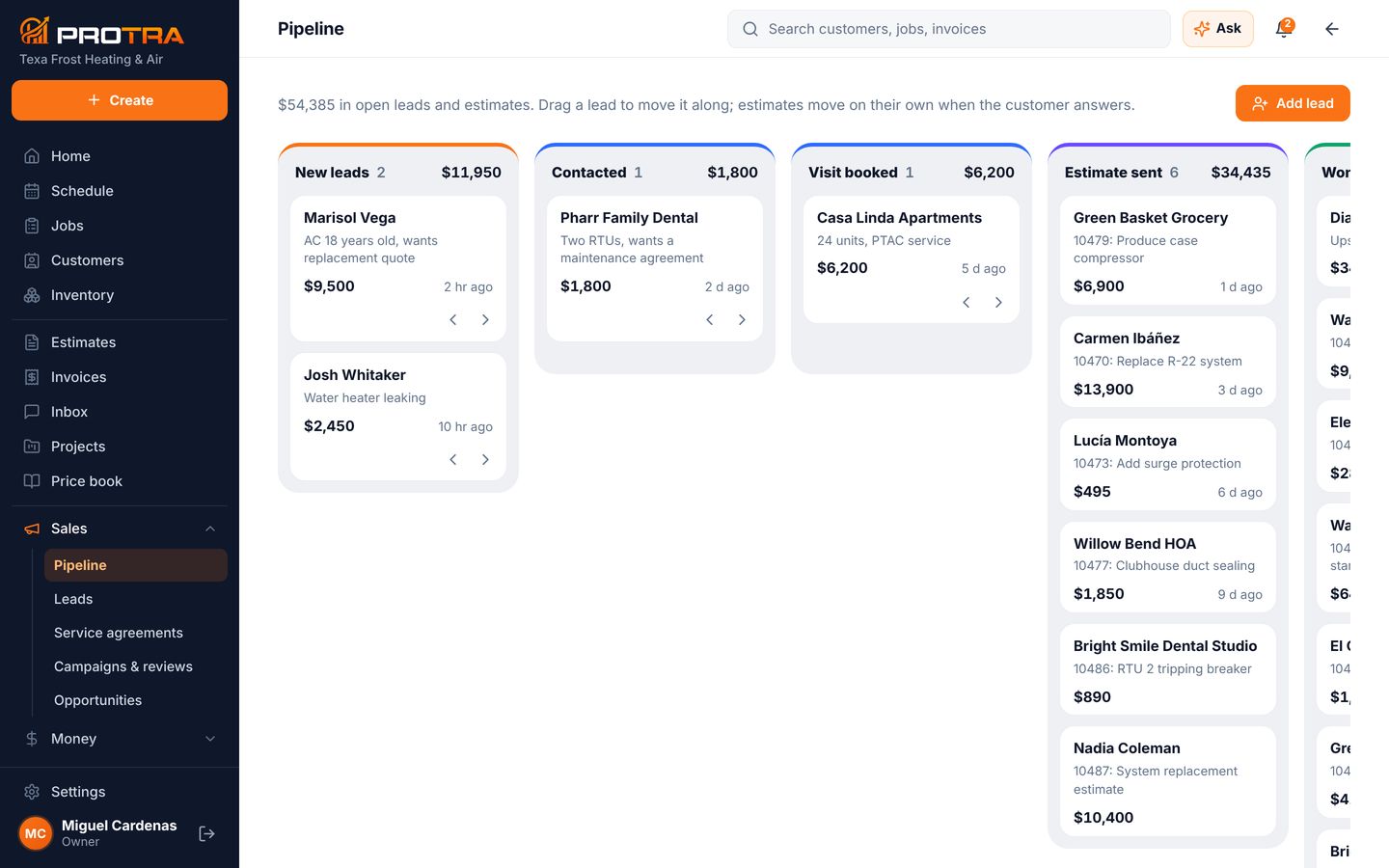
New leads, contacted, visit booked, estimate sent, won. Estimates move on their own when the customer answers, so you only chase the ones that need a call.
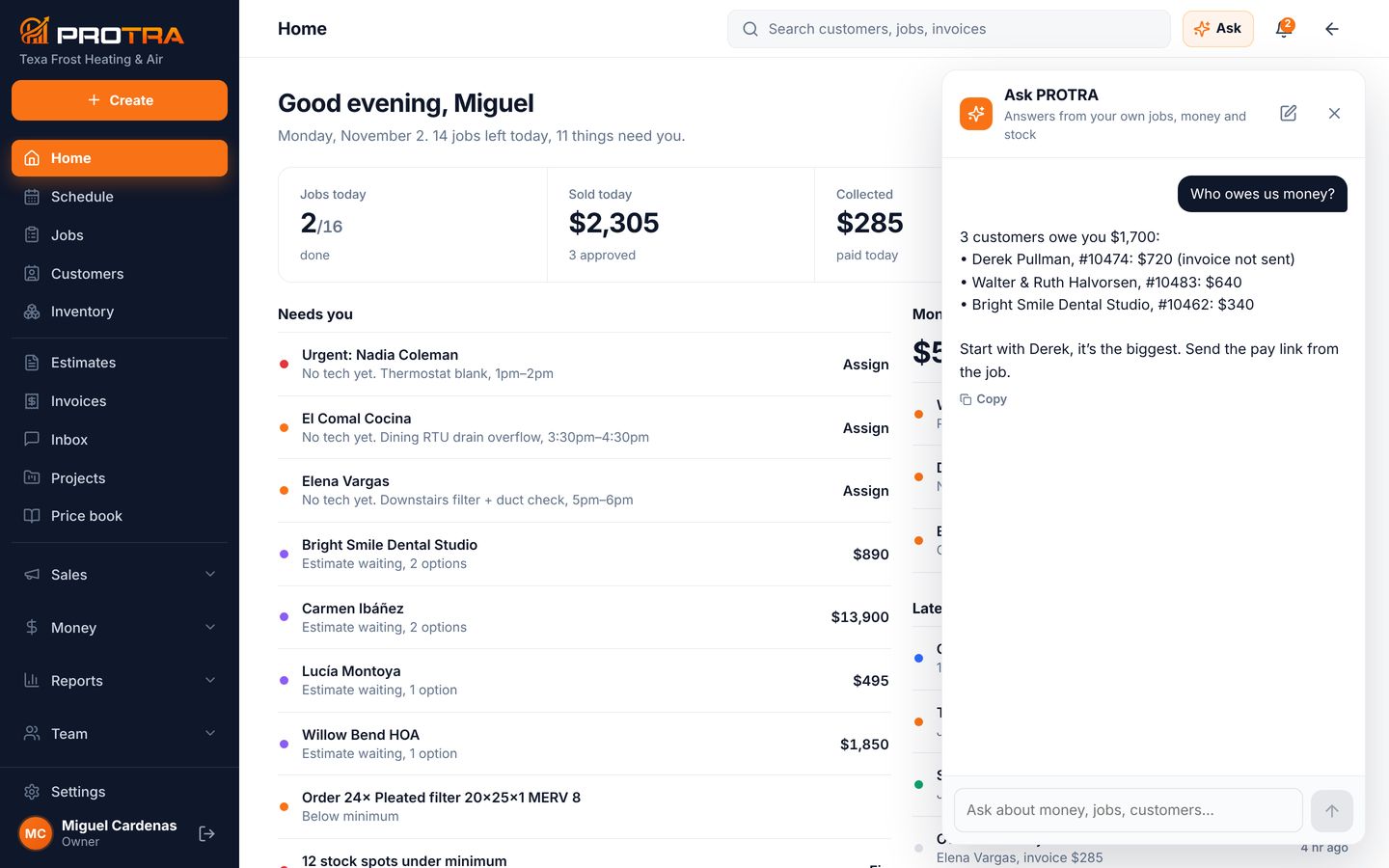
Type “Who owes us money?” and Ask PROTRA answers from your own invoices, then tells you who to call first. It reads your data and never changes anything.
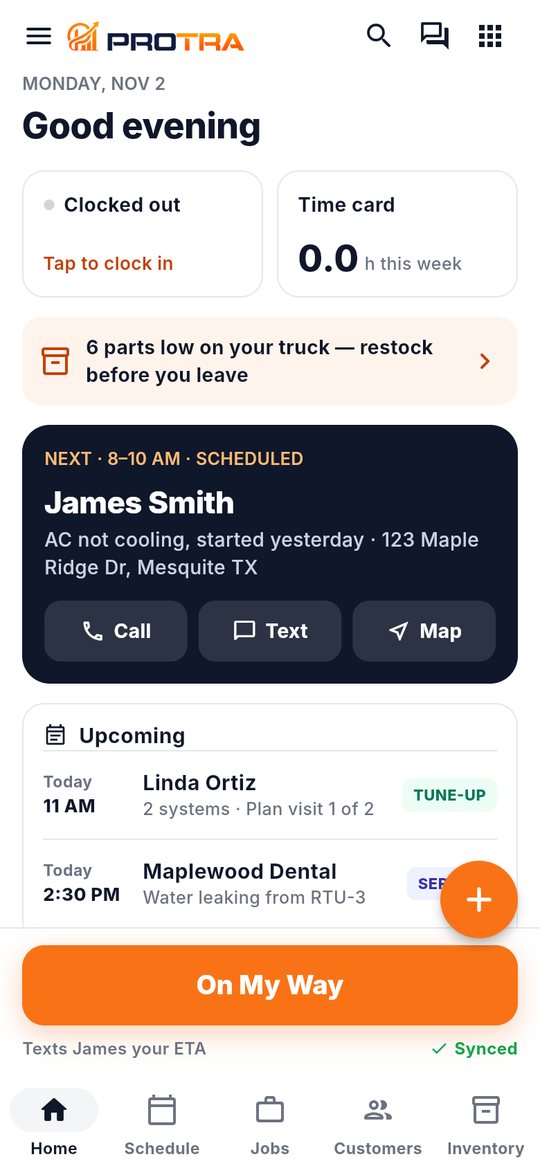
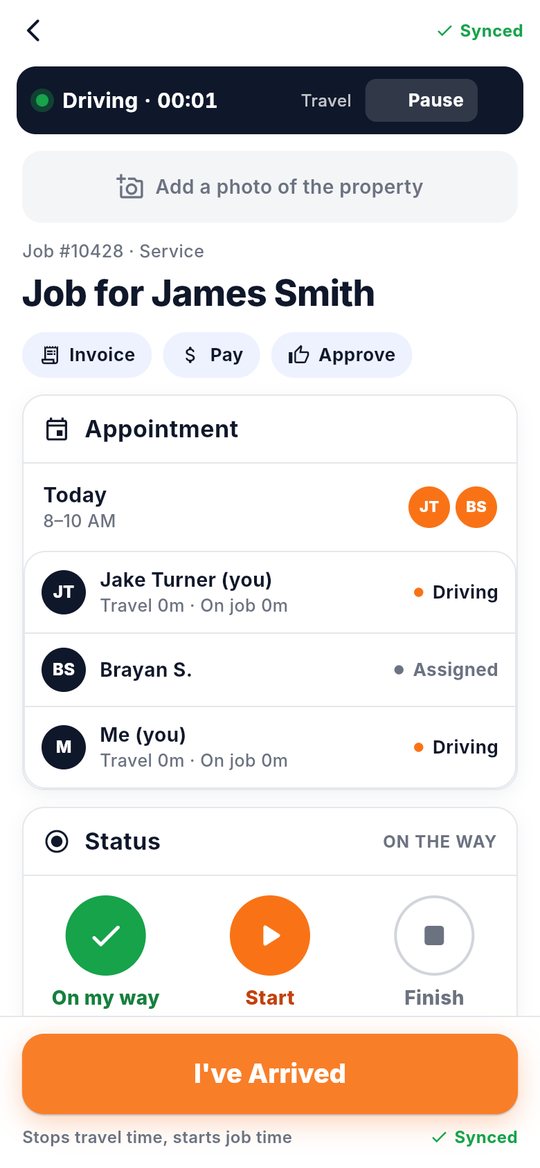
Techs use the PROTRA app on iPhone or Android. Here’s one service call, in five taps.

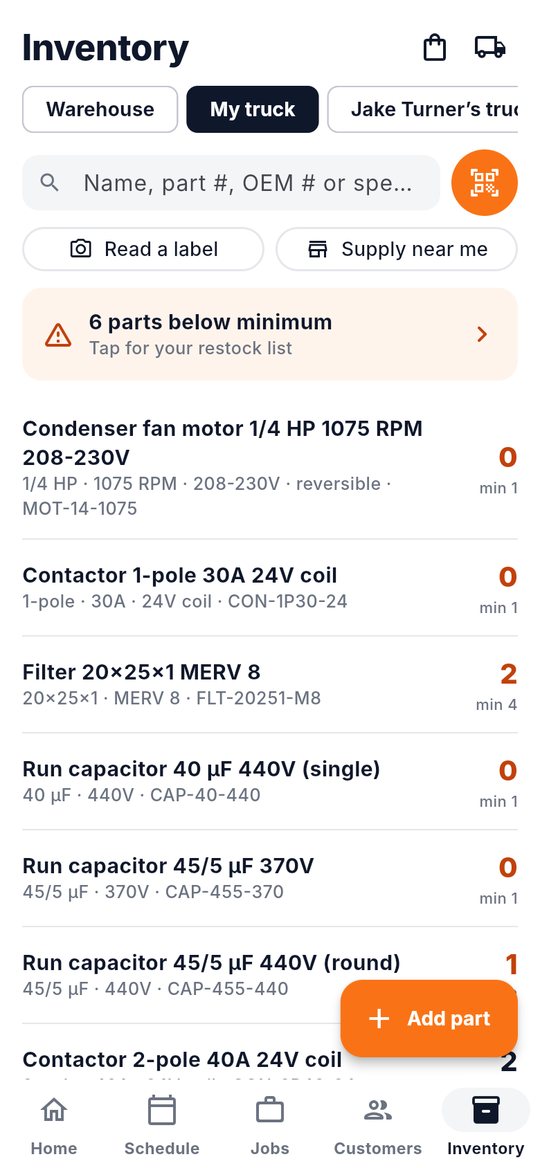
The next job, the address, and one orange button for what to do next. Low stock on the truck shows before they leave.

One tap texts the customer the ETA and starts travel time. “I’ve Arrived” stops it and starts job time.

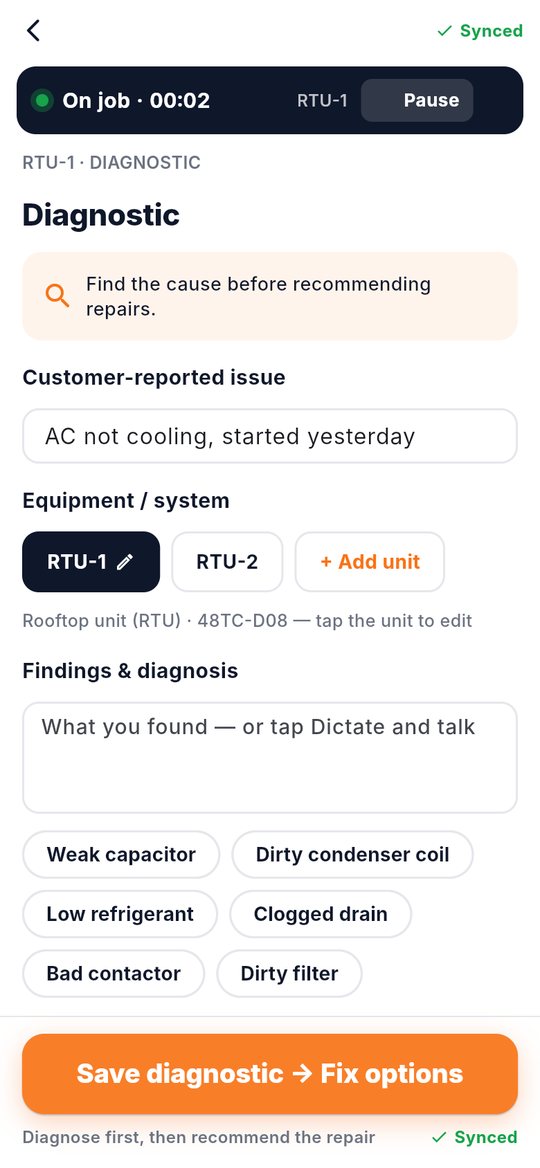
The equipment’s checklist and readings, with common findings one tap each. Talk instead of typing, and add photos or video.

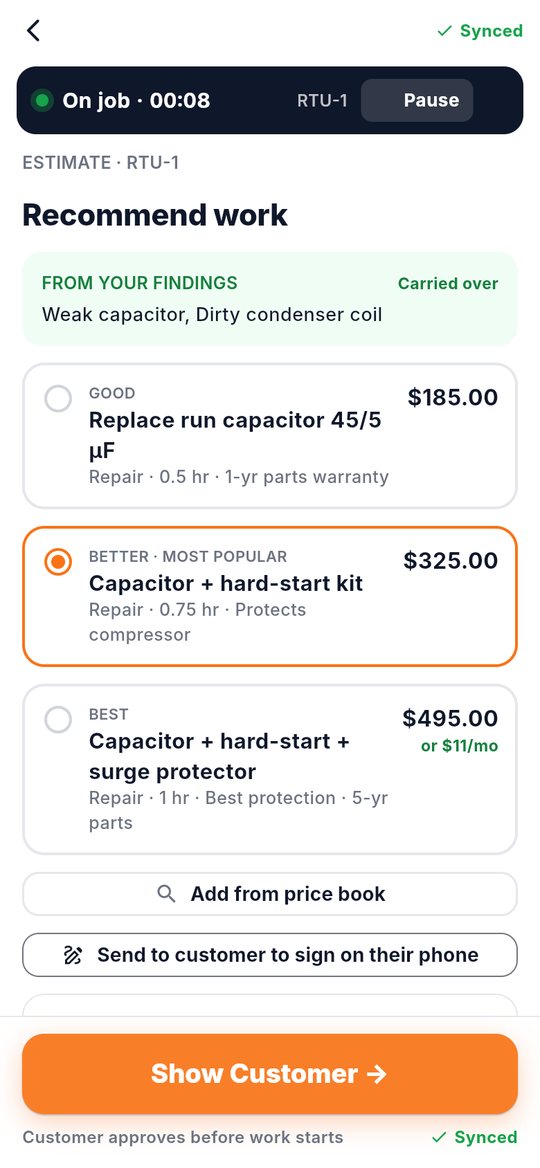
Good, better and best repairs from your price book, priced and ready, with monthly financing on the big one.

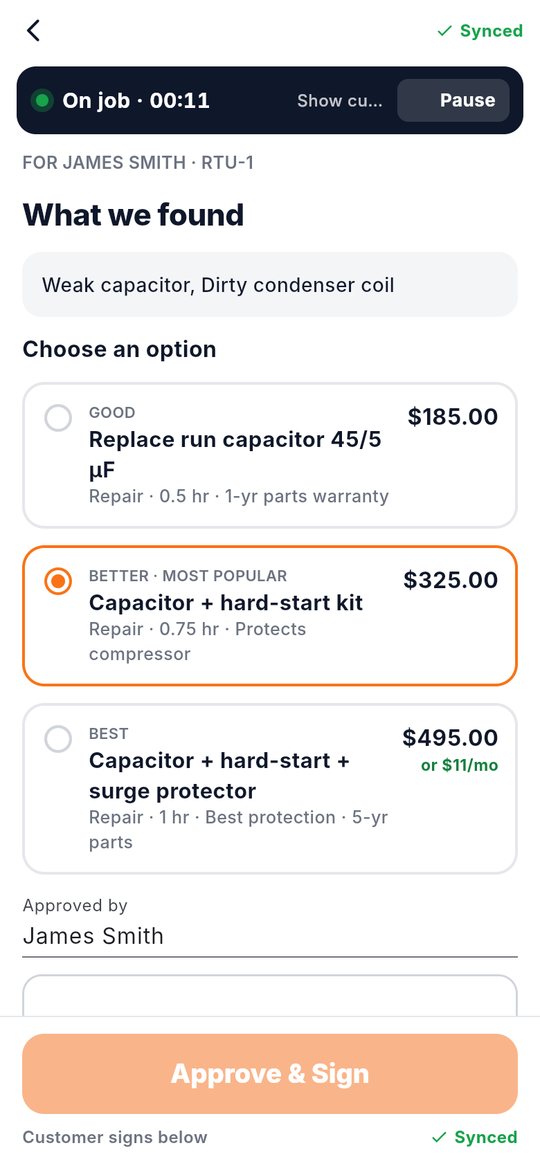
They choose an option and sign on the phone. Parts go on the order list, and the invoice is one tap away.

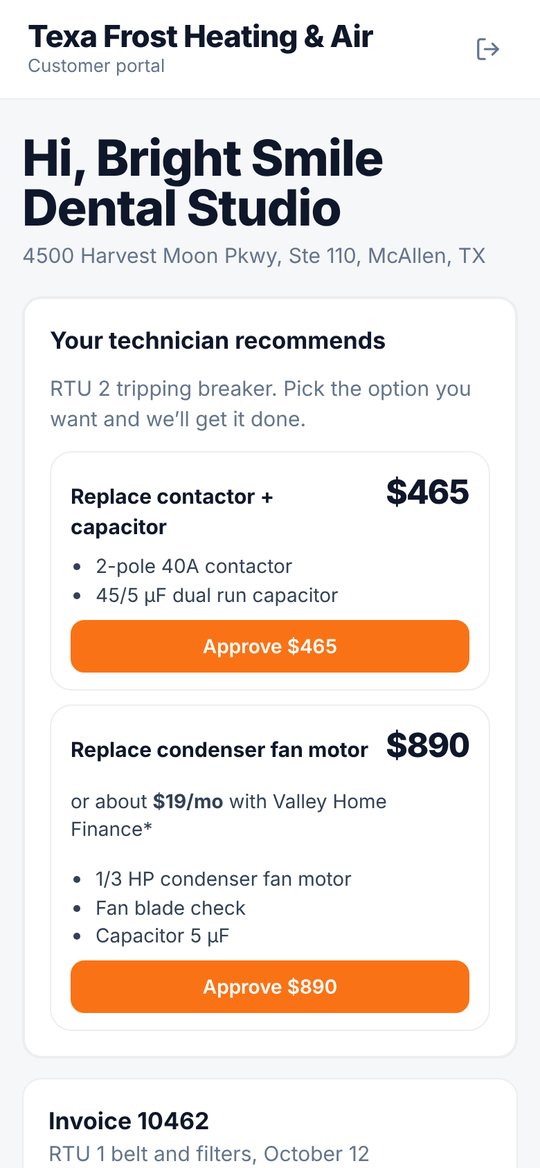
Customers get a text with a link. They see what the tech recommends, approve the option they want (with monthly financing on bigger jobs), pay invoices, and follow the tech’s live tracking link on the way. Every approval is signed and saved with the time and device.
Parts follow the work: sold jobs order them, techs use them, trucks get restocked, and every dollar has a receipt.

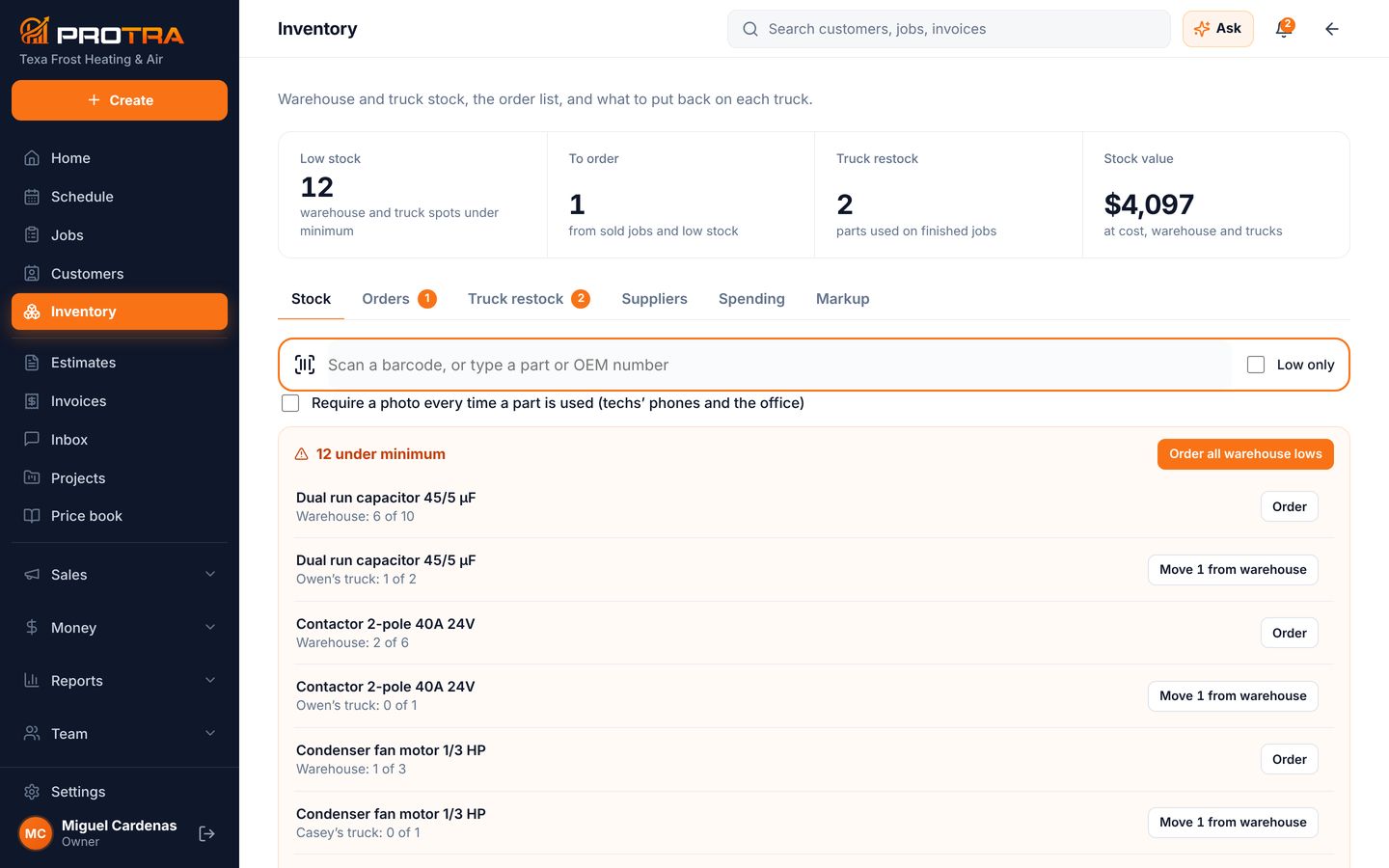
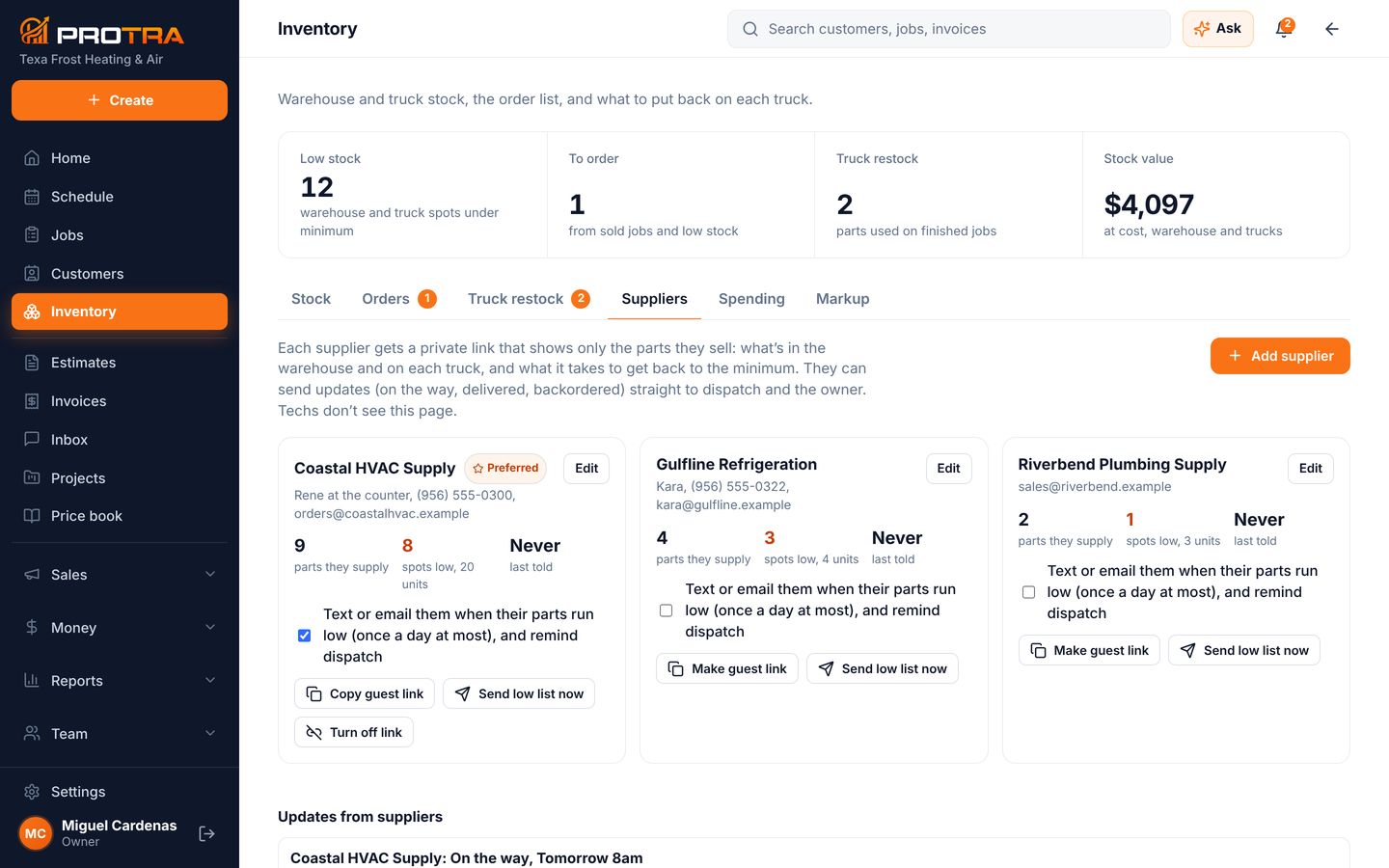
Low stock, what to order, what to put back on each truck and the value of everything you own. Scan a barcode or type a part or OEM number to find it. You can require a photo every time a tech uses a part.

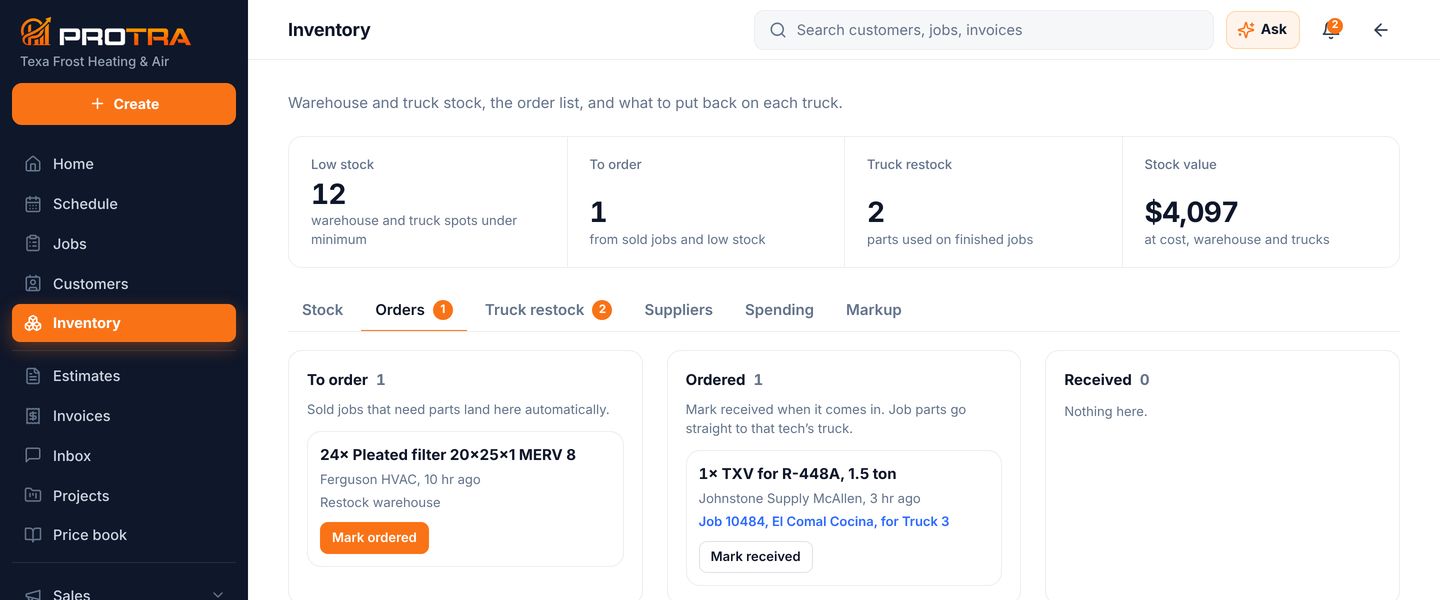
When a customer approves an estimate, its parts land on the order list by themselves, along with anything under its minimum. Mark it ordered, mark it received, and job parts go straight to that tech’s truck.

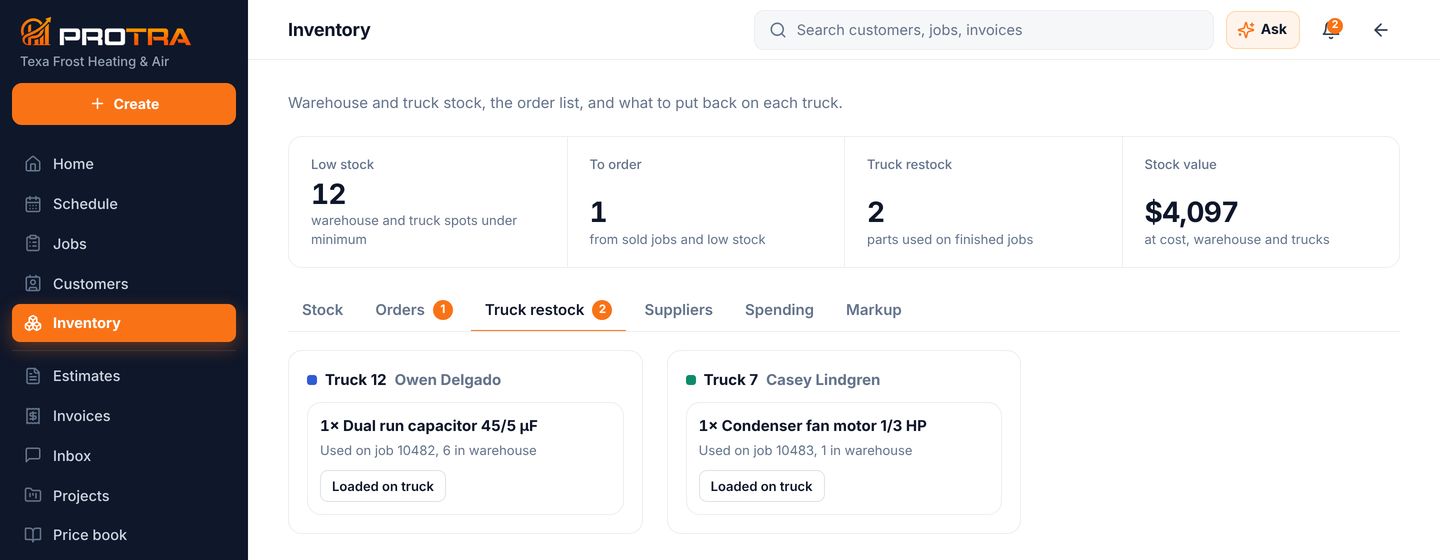
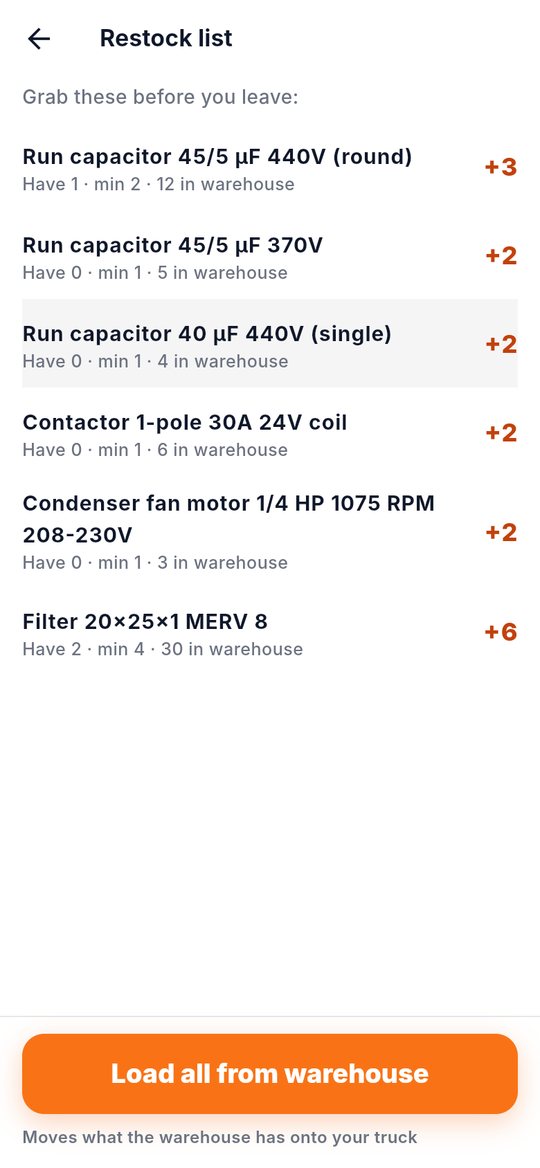
Every part used on a finished job shows up as a restock for that truck, with how many are in the warehouse. One tap when it’s loaded.

Each supplier gets a private link with only the parts they sell and what it takes to get back to minimum. They can text back “on the way” or “backordered” straight to dispatch. Techs never see this page.

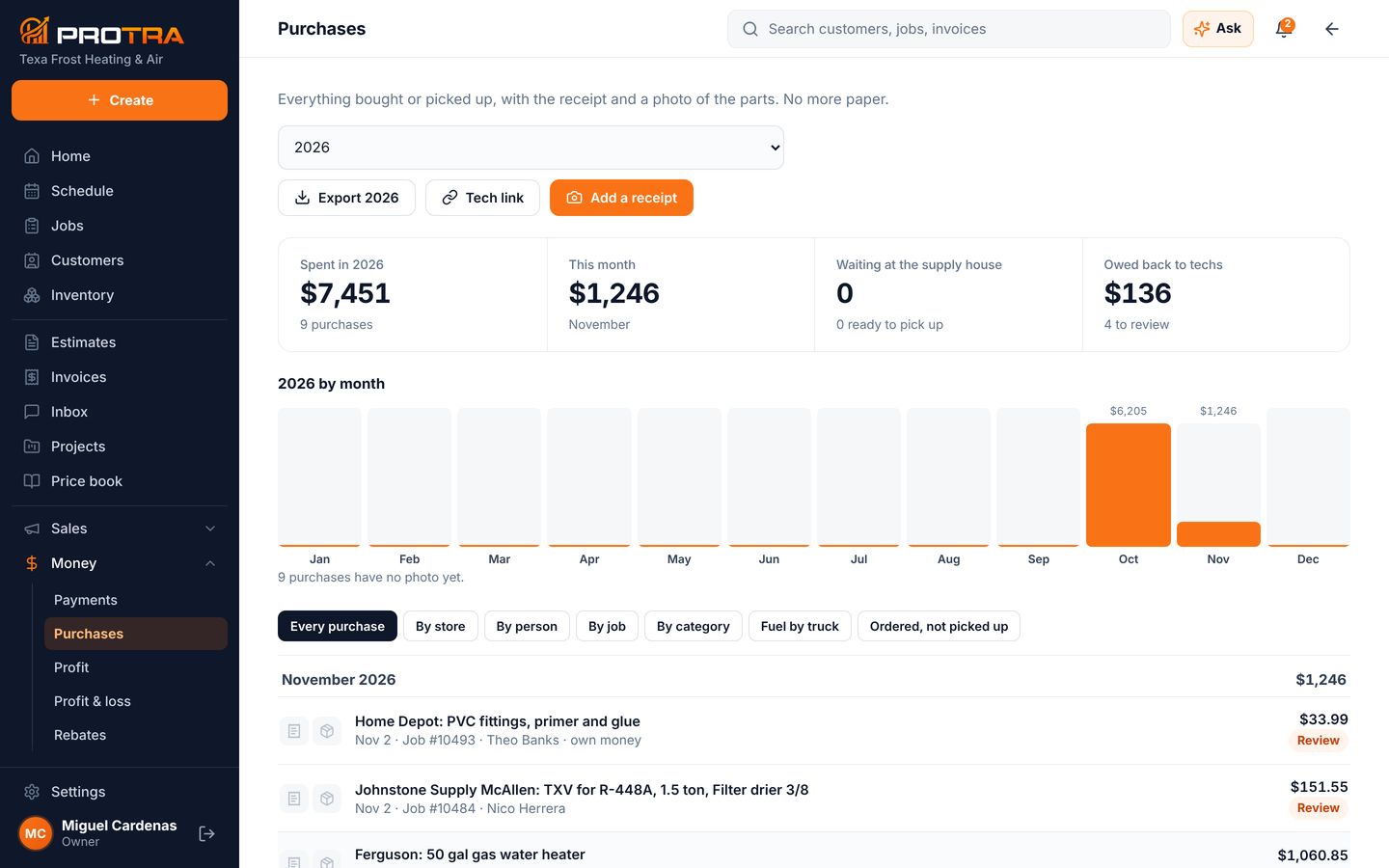
What was bought, where, for which job, and by whom, with the receipt and a photo of the parts. Spending by month, by store and by tech, and what you owe back to techs who used their own money.

Search by name, part, OEM number or spec, scan a barcode, read a part label with the camera, or find the nearest supply house.

The parts below minimum and how many the warehouse has. “Load all from warehouse” moves them onto the truck.

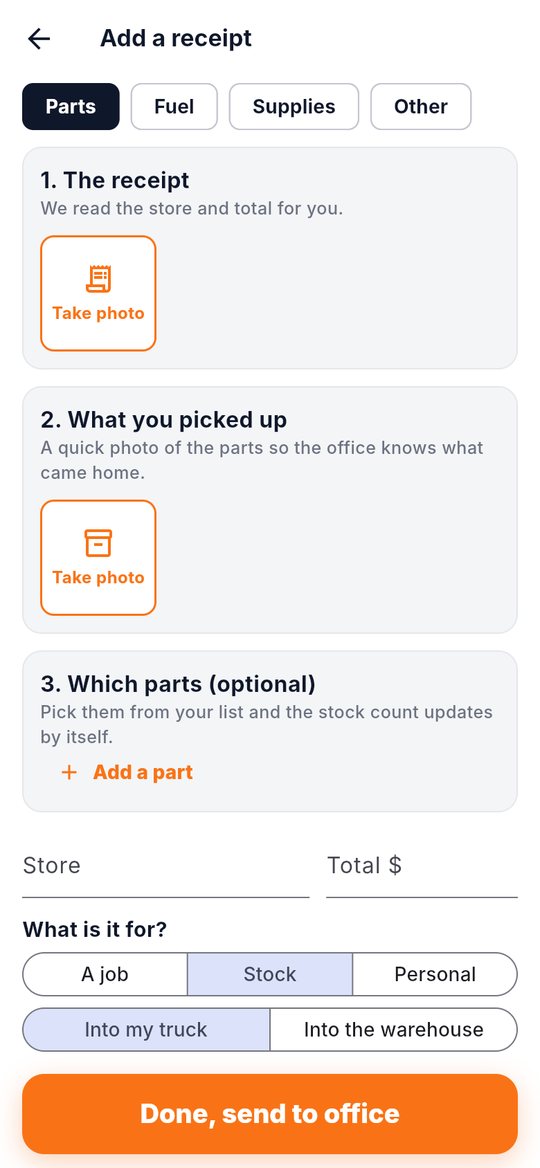
Photo of the receipt and the parts, which job it was for, and into the truck or the warehouse. The stock count updates by itself.
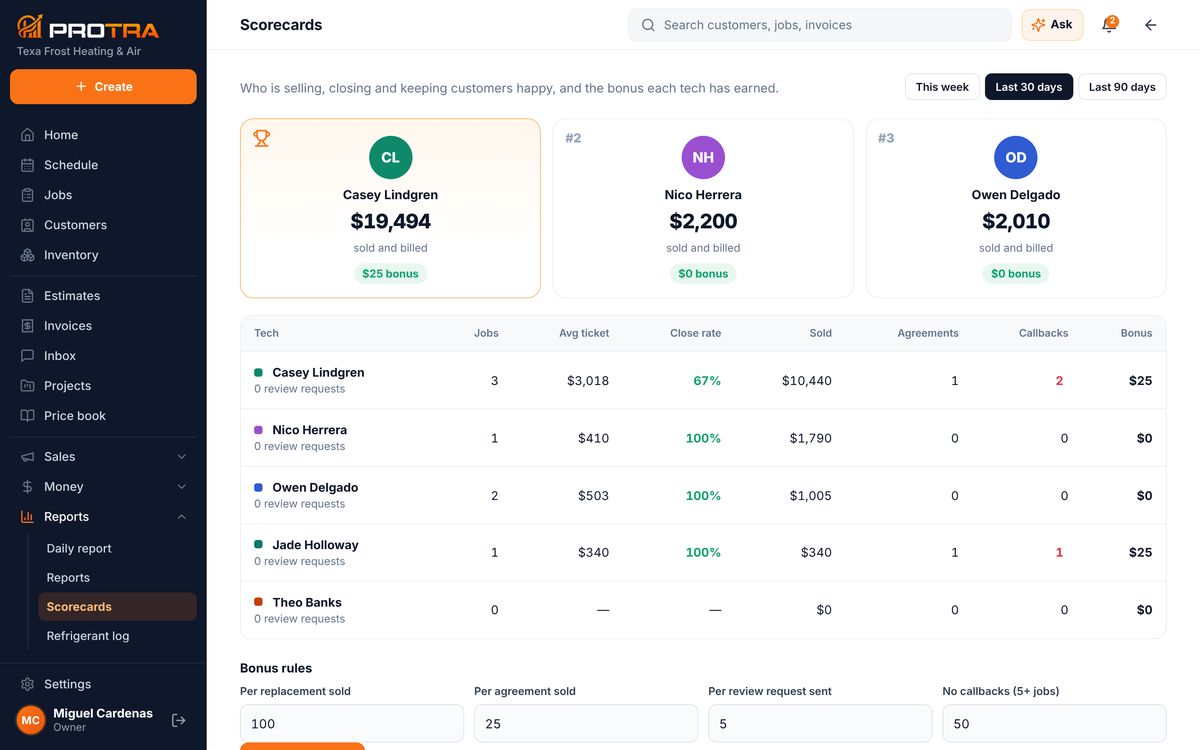
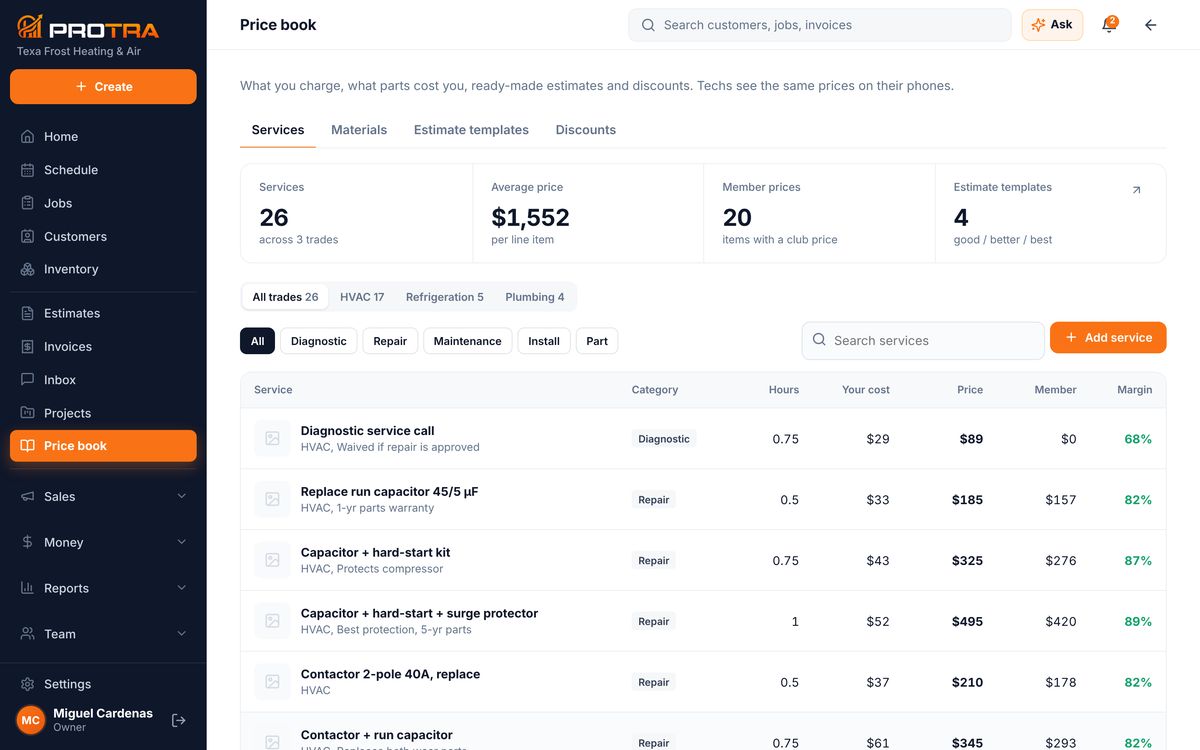
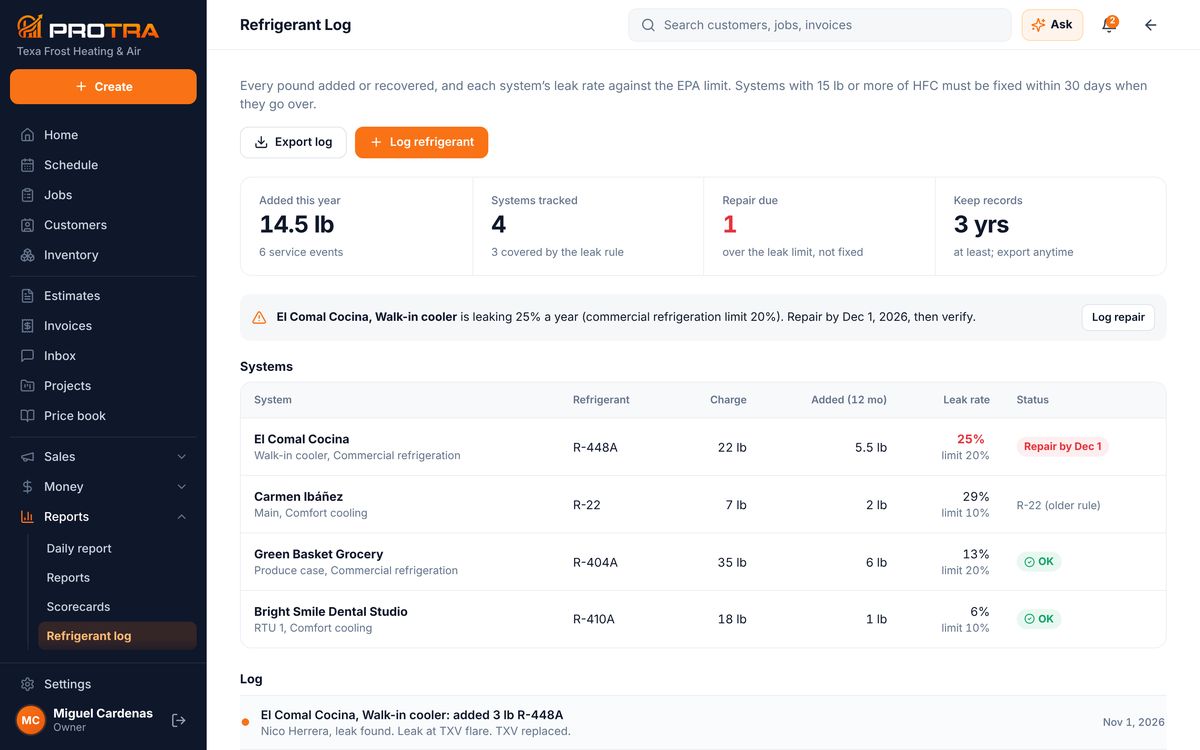
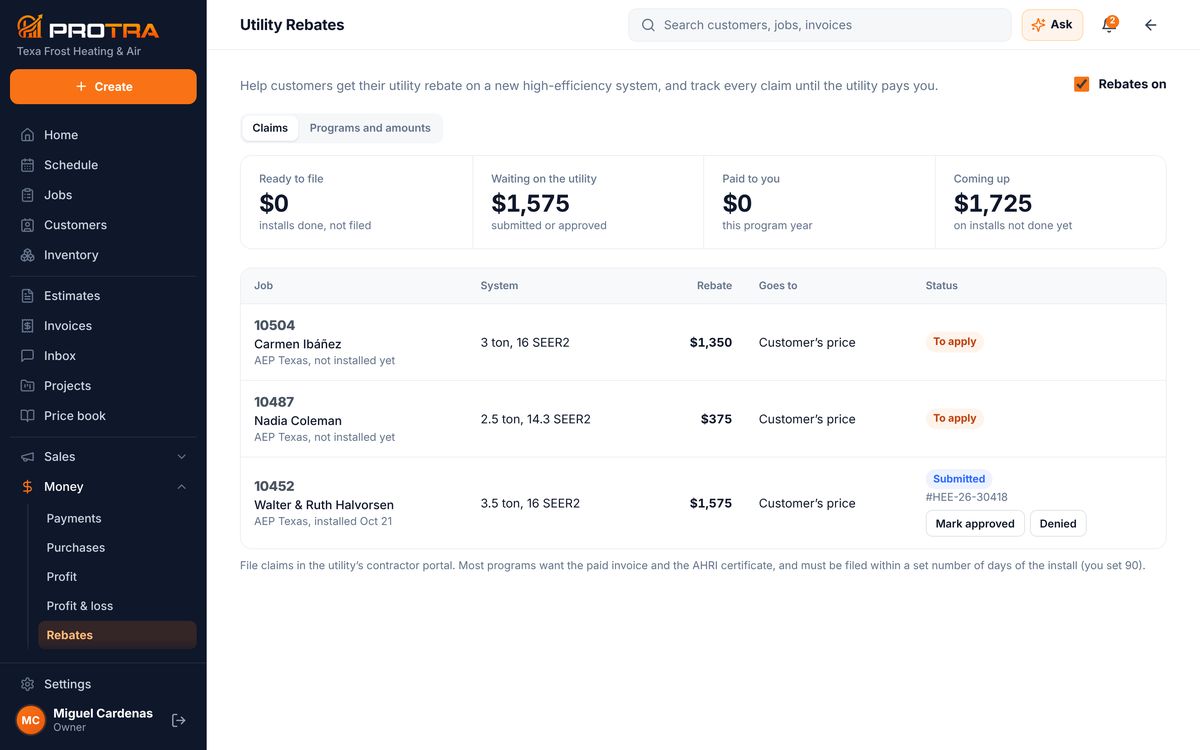
The rest of the office, one click away in the menu.


Everything you expect from field-service software, plus the things that make a shop run better.
Housecall Pro prices from its published annual plans, November 2026. See the full comparison on the pricing page.
No credit card. Screens show a sample company. Pick your trade: HVAC · plumbing · electrical · mechanical & refrigeration · interior design